

The Pet Clinic’s PetDesk App
Your pet’s care, close at hand
The Pet Clinic now offers PetDesk, a convenient way to stay connected with your pet’s healthcare from your phone.
Use PetDesk to request appointments, request prescription refills, receive important reminders, and keep track of your pet’s healthcare needs.



Appointment Requests, Refills, Reminders & More
PetDesk makes it easier to manage some of your pet’s care in one convenient place. Download the app and connect with The Pet Clinic to get started.
With PetDesk, you can:
- Quick, easy download that doesn’t take much space on your phone
- Convenient, timely reminders when it’s time for an annual visit for your pet
- Optional calendar integration to never miss a dose of flea/tick/heartworm prevention
- Appointment request tool helps you find a time to come in that works for your schedule
- No unwanted messages, ads or other nuisances: guaranteed
Once you download the app, create an account with the email address we have on file for you.
What Is PetDesk?
PetDesk is a mobile app that helps pet owners stay connected with their veterinary clinic and manage some everyday pet care tasks from their phone.
Once you connect with The Pet Clinic, you can use the app to send appointment and prescription refill requests, receive reminders, and keep track of your pet’s care needs.
How Does PetDesk Work?
Download the app, connect with The Pet Clinic, and use the available features to help manage your pet’s care.
The app will sync your information overnight, so don’t be worried if you don’t see your pet’s history right away, it’ll be there in the morning!
Why Use PetDesk?
Convenient Access
Use your phone to request appointments and prescription refills, and keep track of important reminders.
Stay Connected
PetDesk gives you another convenient way to stay connected with The Pet Clinic about your pet’s care.
Keep Care on Your Radar
Reminders can help you stay aware of important healthcare needs for your pet.
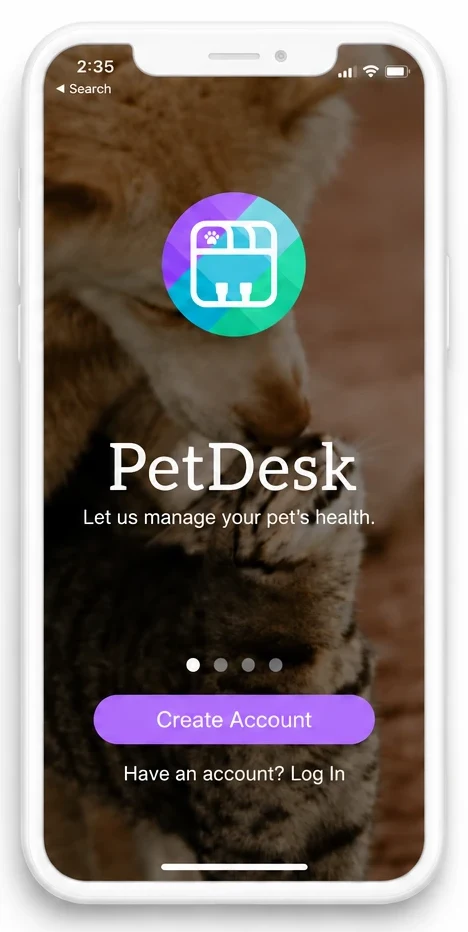
How to Get Started with PetDesk
Getting started is easy:
Download the App
Find PetDesk in the Apple App Store or Google Play and install it on your phone.
Open PetDesk
Follow the instructions in the app to create or access your account.
Connect with The Pet Clinic
Search for The Pet Clinic in the app and follow the prompts to connect.
Add Your Pet and Get Started
Follow the in-app instructions to add your pet’s information and begin using the available features.